
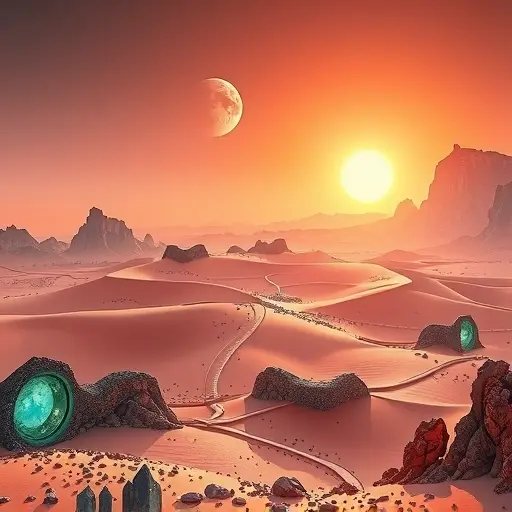
Create Cinematic Photos in Midjourney: A Composition Guide
- kylixie
- Apr 30, 2025
- 5 min read
Have you ever wondered what makes some photos just grab your attention? It's often how everything in the picture is put together. This is called composition. It's not just what you see, but how those elements relate to each other. Good composition tells a story and guides your eye.
If you use Midjourney to create images, understanding composition can make a big difference. It helps your pictures stand out. This guide covers five key parts of composition you can use in your prompts to get those striking, cinematic results.
Geometry in Your Midjourney Prompts
Think about the basic building blocks of any image: points, lines, and shapes. These simple parts are powerful tools for guiding the viewer's eye and creating meaning.
Points
A point is the simplest element. It's often where your eye is drawn first. Even a small object can be a point if the surrounding picture directs attention to it.
For example, think of a tiny person on a huge mountain. The mountain and sky set the scene, but the person is the point that signals a feeling of success after a hard climb.
To use points in Midjourney, prompt for something small but important within a large scene. Ask for "a small glowing light from a temple high on a snowy peak at night" to make that light the key point in a dark, vast image.
Lines
Lines are what you get when you have a series of points. They create a path for your eye to follow.
Vertical lines often feel strong or powerful, good for pictures of tall buildings or structures.
Horizontal lines tend to feel peaceful, good for landscapes showing the horizon.
Curves make images feel softer and more welcoming or elegant.
Lines can also show movement or take you on a visual journey, like a winding road.
Spirals are a special type of line that pull your eye towards the center.
You can prompt for lines explicitly, like asking for "vertical columns inside a large hall" to suggest a strict, organized feel, or "a curving path through a garden" for a softer look.
Shapes
When lines connect, they form shapes. Shapes take up visual space and carry meaning.
Squares and rectangles feel stable and structured, like buildings or boxes.
Triangles feel more energetic and natural. They can sometimes feel unsettling depending on the context.
Circles feel soft, fluid, and complete because they have no sharp edges.
Shapes can also create interesting effects like the "frame within a frame" technique. This is where one part of the image forms a shape (like a window or a doorway) that frames another part of the image. Prompting for a "person looking out from a large window" or a "sleeping figure inside an oval pod opening" uses shapes to focus attention and even create a sense of closeness or feeling stuck.
Experimenting with different geometric placements and forms in your prompts can quickly change the feel of an image. Testing variations to see what works best takes time. Consider using a tool like the Midjourney Automation Suite from TitanXT to help manage and quickly generate many different versions of your prompts, making it easier to see how geometry affects the final picture.
Camera Shots and Angles
How you position the 'camera' in your mind when writing prompts affects how the viewer sees the scene and the subject.
Space (Positive and Negative)
Every image has positive space (where the subject is) and negative space (the empty area around it). The empty space is important.
Leaving a lot of negative space with a wide shot can make a subject seem isolated or lonely. Showing less negative space with a close-up makes the subject more dominant and important.
Shot Types
The distance from the 'camera' to the subject changes the meaning.
A long shot or wide shot shows the subject small within its environment, highlighting scale or isolation.
A close-up fills the frame with the subject, making it feel personal and powerful.
An extreme close-up shows only part of the subject, creating intense feeling or focusing on detail.
Prompt for these explicitly: "a solitary figure in a wide shot landscape," "a close-up portrait of an old woman's face," "extreme close-up of an eye."
Camera Angles
Using angles other than eye level makes images more dynamic.
A low angle looks up at the subject, making them seem large, strong, or in charge.
A high angle looks down, making the subject seem smaller or vulnerable.
Shooting from behind emphasizes silhouette and creates mystery about what the subject sees.
An overhead shot gives a top-down, objective view of the scene.
Add these angles to your prompts: "low angle shot of a speaker on a stage," "high angle view of a lone figure," "shot from behind looking out at a sunset," "overhead view of a bustling city street."
Adding Depth to Your Images
Even though Midjourney creates flat images, you can suggest depth to make them feel more like the real world. This is often done by showing things at different distances: foreground (closest), middle ground, and background (farthest).
To make these distances clear, you can prompt for elements in each layer. For a scene with depth, you might prompt for "a soldier in the foreground covering his ears, distant explosions in the background." Show things happening near and far.
Another way to create depth is through focus. Shallow focus blurs the background to make the foreground subject stand out. Deep focus keeps everything sharp from front to back. Prompt for "shallow depth of field, person smiling in foreground, blurred trees in background" or "deep focus, everything in scene crystal clear."
Getting the exact level of depth and blur can take many tries. The Midjourney Automation Suite by TitanXT can help you quickly generate batches of images with slight prompt variations focused on depth, helping you find the look you want faster.
Using Color and Tone
Color is more than just appearance; it carries feeling. Different colors suggest different moods and ideas.
Dark blue can feel strong.
Brown and orange feel natural.
Purple can feel mystical.
The same color can feel different depending on what else is in the picture. Green can feel sickly or show natural beauty.
Using colors that are opposite on a color wheel, like blue and orange, creates strong contrast and makes parts of the image pop. Putting bright colors against a neutral background does the same.
Tone is related to color but focuses on brightness and darkness. High contrast (big difference between light and dark) makes images dramatic. Dark, desaturated colors can feel serious or sad, while warm, bright colors feel happy and pleasant.
Be specific in your prompts: "use a contrasting color palette," "with intense blue and orange," "soft pastel colors," "dark desaturated tones."
Mastering Lighting Effects
Lighting sets the mood and makes shapes visible. It's a crucial part of a cinematic look.
Backlighting puts the light source behind the subject, creating a silhouette. This hides details but adds drama and mystery.
The time of day changes the light dramatically. Golden hour light (sunrise/sunset) is warm and soft. Night light can be dark and tense.
Weather affects light too. Rainy light is dim and moody. Sunny light is bright and clear.
Lighting comes from many sources: candles, lamps, city lights, fire, the sun, the moon.
Prompting for specific lighting is key: "backlit subject," "golden hour lighting," "night photo with streetlights," "lit by candlelight." You can even try asking for contrasting light colors.
By using these five elements of composition – geometry, camera shots/angles, depth, color/tone, and lighting – you can get much closer to creating the exact cinematic images you imagine with Midjourney.
Ready to take your Midjourney creations to the next level? Explore the Midjourney Automation Suite from TitanXT to streamline your prompting and generate a wider range of compositional variations with ease.



Comments